

Veed.IO Review and Alternatives – My Experience
Key Insights:
- Veed.IO is an all-in-one online video editing platform known for its user-friendly interface and powerful features like subtitles, video translation, and templates.
- It offers extensive tools for professionals and beginners to create and edit videos seamlessly.
- Veed.IO supports collaborative work, making it ideal for team projects.
- Compared to other tools, Veed.IO stands out with its simplicity and accessibility but may lack advanced customization for niche use cases.
What is Veed.IO?
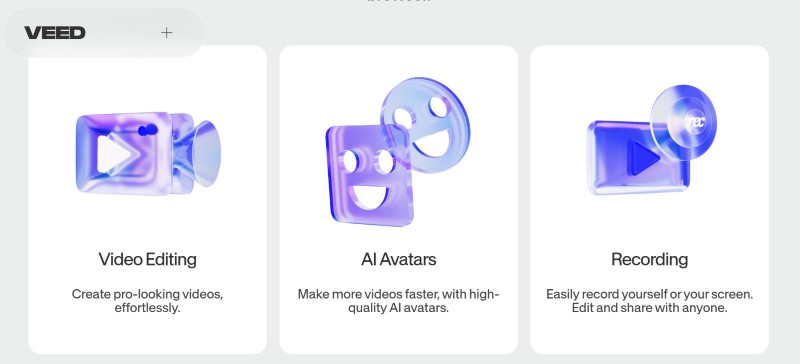
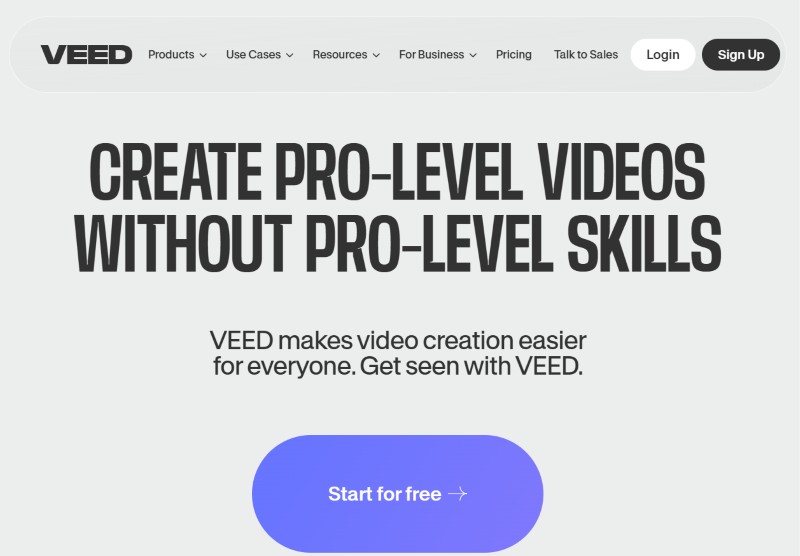
Veed.IO is an online video editing platform designed to simplify the process of creating, editing, and sharing videos. It requires no software installation and runs directly in your browser, making it accessible from anywhere. Whether you’re a content creator, marketer, or casual user, Veed.IO provides tools to create professional-quality videos effortlessly.
With features like automatic subtitles, text-to-speech, video translation, and a vast library of templates, it caters to a wide audience looking to produce engaging content without the steep learning curve of traditional editing software.
Key Features
1. Automatic Subtitles and Transcription
- What it is: Automatically generates subtitles and transcriptions for your videos.
- Value: Saves time and effort in manually adding subtitles, improving accessibility and viewer engagement. It supports multiple languages, making it perfect for global audiences.
2. Video Translation
- What it is: Converts audio and subtitles into different languages.
- Value: Enables creators to localize their content for international markets effortlessly, broadening their reach.
3. Collaboration Tools
- What it is: Allows teams to work on the same project in real-time.
- Value: Ideal for teams who need to co-create content, reducing turnaround time and improving efficiency.
4. Templates and Brand Kits
- What it is: Pre-designed templates and brand customization options.
- Value: Helps users maintain brand consistency and speed up the editing process with pre-built designs.
5. Screen and Webcam Recording
- What it is: Built-in tools to record your screen and webcam.
- Value: Perfect for creating tutorials, presentations, and personalized messages without additional software.
6. Text-to-Speech
- What it is: Converts text into natural-sounding audio.
- Value: Simplifies voiceover creation, enhancing video production for non-native speakers or users without recording equipment.
7. Cloud-Based Editing
- What it is: Operates entirely on the cloud.
- Value: Eliminates the need for powerful hardware, ensuring smooth editing from any device.
Pros and Cons
Pros:
- User-Friendly Interface: Intuitive design suitable for beginners.
- Cloud-Based: No downloads or installations required.
- Extensive Features: Includes auto-subtitling, templates, and collaboration tools.
- Accessibility: Runs on any device with a browser.
Cons:
- Limited Advanced Features: May not satisfy professional video editors with complex needs.
- Subscription Costs: Free tier is limited; advanced features require a paid plan.
- Export Quality: Occasionally, exported videos may have minor resolution issues.
Who Can Use Veed.IO
1. Content Creators
- Ideal for YouTubers, TikTokers, and influencers creating engaging video content.
- Easy-to-use templates and automatic subtitles save time.
2. Businesses and Marketers
- Perfect for creating promotional videos, ads, and training materials.
- Branding tools ensure professional and consistent messaging.
3. Educators and Trainers
- Use screen recording and subtitles for online classes and tutorials.
- Simplifies the creation of instructional videos with visual aids.
4. Collaborative Teams
- Teams can co-edit projects in real-time, ensuring seamless workflows.
- Ideal for remote working environments.
5. Non-Native Speakers
- Leverages translation and text-to-speech tools for creating localized content.
Conclusion and Final Verdict
Veed.IO is a powerful yet accessible video editing tool that bridges the gap between professional and beginner needs. Its standout features like automatic subtitles, video translation, and collaborative tools make it a top choice for diverse use cases. While it may lack advanced customization options, its ease of use and versatility make it worth trying. For content creators and teams looking for an efficient editing platform, Veed.IO delivers exceptional value.
FAQ
1. What is Veed.IO best used for?
Veed.IO is best for creating and editing professional-quality videos quickly and efficiently. It’s ideal for content creators, marketers, and educators.
2. Is Veed.IO free to use?
Veed.IO offers a free tier with basic features, but advanced tools require a subscription.
3. Does Veed.IO support multiple languages?
Yes, Veed.IO provides tools for subtitle generation and video translation in multiple languages.
4. Can teams collaborate on Veed.IO?
Absolutely. Veed.IO supports real-time collaboration, making it suitable for team projects.
5. What makes Veed.IO different from traditional editing software?
Unlike traditional software, Veed.IO is cloud-based, requires no installation, and is beginner-friendly.
6. Does Veed.IO handle high-quality video exports?
Veed.IO supports high-resolution exports, but users have occasionally reported minor issues.
7. Are there any notable competitors to Veed.IO?
Competitors include TheDream AI, Seduced AI, and Soulgen, each catering to specific niches.